
GPU Server Maintenance Guide: Key Metrics, Routine Maintenance and the Importance of Stable Computing
Blog / GPU Server Maintenance Guide: Key Metrics, Routine Maintenance and the Importance of Stable Computing
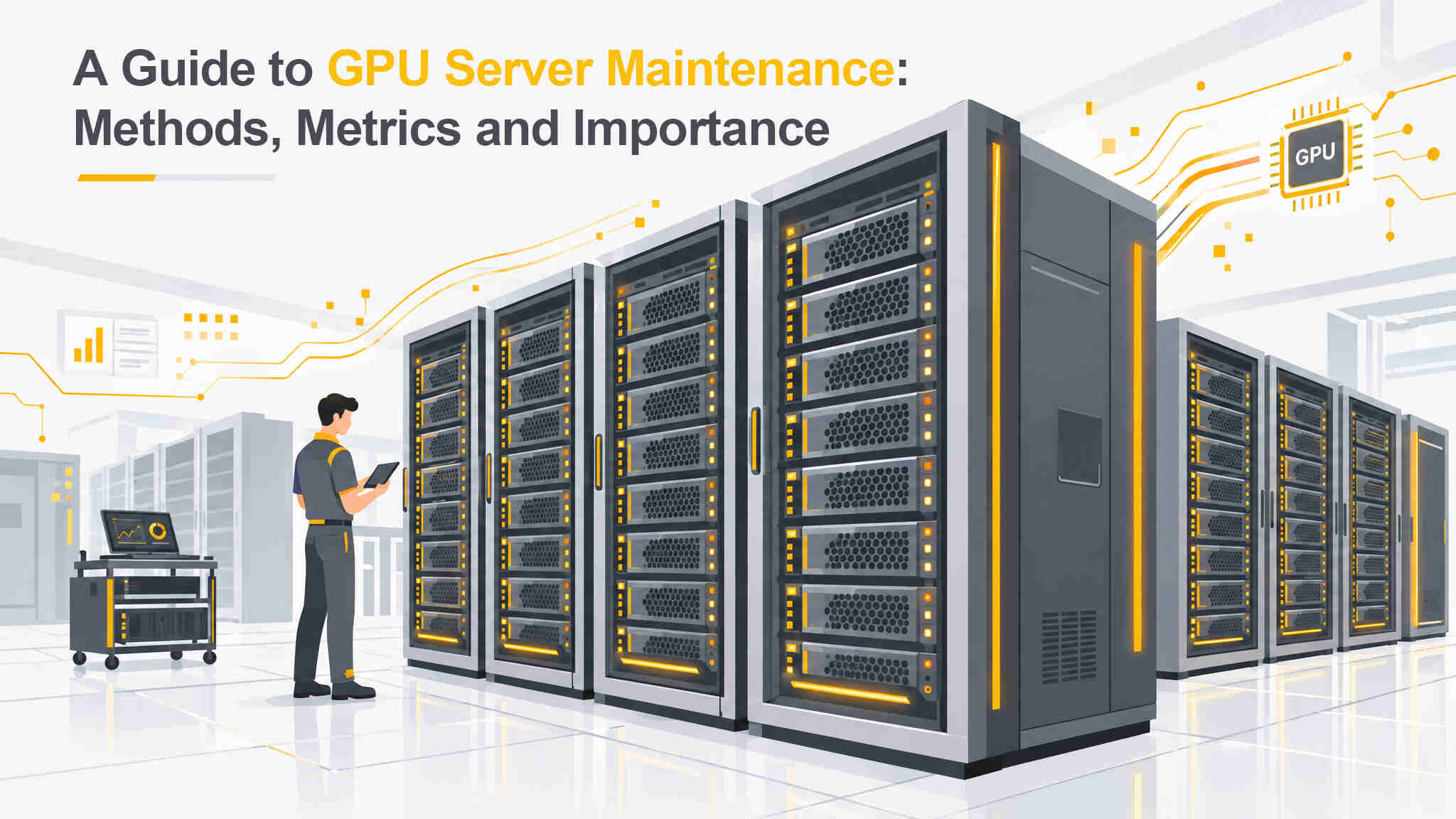
In an era of rapid advances in AI and big data, high-performance computing in data centers has become a key factor in business competitiveness. However, high workloads place significant demands on hardware. Without a proper maintenance strategy, businesses risk serious service disruptions and costly repairs. Understanding GPU server maintenance methods, key metrics and their importance is therefore essential for IT administrators and business decision-makers.
This article explores how systematic management and predictive maintenance can extend hardware lifespan and ensure stable computing performance, providing practical guidance for data center operations and maintenance.
Why Is GPU Server Maintenance Important for Data Centers?
In enterprise data centers, GPU modules are expensive investments that support critical workloads such as machine learning, deep learning and High-Performance Computing (HPC). Maintaining servers is not just about protecting valuable hardware assets. It is also essential for ensuring business continuity.
First, regular maintenance can significantly reduce the risk of unexpected downtime. When servers stop operating due to overheating or hardware failure, businesses face not only repair costs but also substantial commercial losses. Proper maintenance also helps maintain consistent computing performance and prevents thermal throttling from slowing down AI model training.
The importance of GPU server maintenance ultimately lies in protecting return on investment (ROI) and maintaining high system availability.
Four Key GPU Server Maintenance Metrics to Monitor
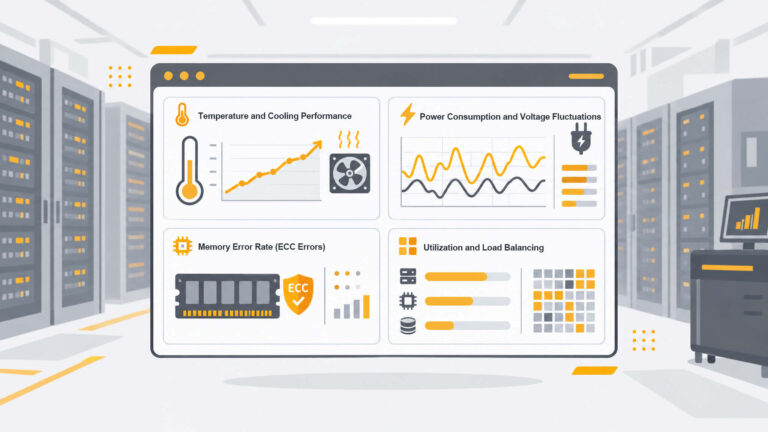
Preventing server failures starts with understanding how to interpret performance data. During daily data center operations, teams should closely monitor the following key metrics to assess GPU server health.
1. Temperature and Cooling Performance
GPUs generate significant heat when operating under full load. Core temperature and memory temperature are therefore key monitoring targets. A general guideline for enterprise environments is to keep temperatures within a range of 70°C to 85°C. Unusual temperature spikes may indicate aging thermal materials or problems with the data center cooling system.
2. Power Consumption and Voltage Fluctuations
Monitoring power draw helps administrators understand the actual workload of each GPU. Unstable power supply voltage or unusual fluctuations in power consumption may indicate an aging power supply unit (PSU) or a damaged power module.
3. Memory Error Rate (ECC Errors)
Enterprise GPUs are commonly equipped with Error-Correcting Code (ECC) memory. Regularly checking ECC error counts is an important way to assess whether video memory (VRAM) may be approaching failure. If hardware error rates rise sharply, the affected node should be scheduled for replacement as early as possible.
4. Utilization and Load Balancing
Lower GPU utilization is not necessarily better. AI cluster operations aim to keep expensive accelerator cards productively utilized. What matters is how utilization is distributed. If some nodes in the same cluster remain fully loaded while others are idle for long periods, this may indicate an imbalance in task scheduling. Nodes that operate under sustained heavy loads may also experience greater wear on cooling and power components.
Analyzing temperature, power consumption and ECC metrics together helps identify which nodes require scheduling adjustments or earlier maintenance. Collecting these key GPU server maintenance metrics and reviewing them alongside GPU utilization can help optimize task scheduling and prevent individual devices from being overworked.
GPU Server Maintenance Methods for Data Centers
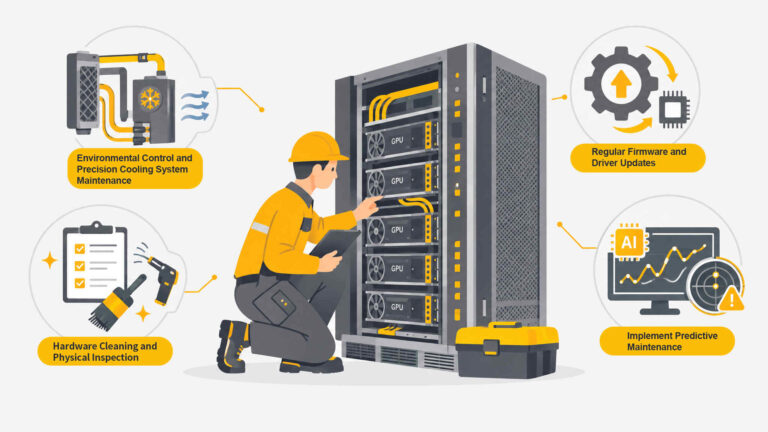
Data center teams can use the following maintenance practices to keep servers operating reliably.
1. Environmental Control and Precision Cooling System Maintenance
Unlike ordinary home computers, data centers rely on precision air conditioning systems, such as Computer Room Air Conditioners (CRAC), or liquid cooling systems. It is therefore important to maintain clear hot and cold aisles, keep temperature and humidity within applicable ASHRAE guidelines, and regularly inspect liquid cooling pipes for small leaks or coolant deterioration.
2. Regular Firmware and Driver Updates
Software maintenance at the system level is equally important. This includes regularly updating GPU drivers, server BIOS and Baseboard Management Controller (BMC) firmware. These updates can help address potential security vulnerabilities, improve power management and maintain compatibility with the latest AI frameworks.
3. Hardware Cleaning and Physical Inspection
Even in data centers with strict dust-control measures, prolonged operation with high airflow can lead to dust accumulation that affects cooling performance. Schedule maintenance windows to clean server interiors using anti-static tools and check that PCIe connections are secure. These are essential steps in GPU server maintenance.
4. Implement Predictive Maintenance
AI-powered monitoring and Data Center Infrastructure Management (DCIM) systems can use historical data and machine learning algorithms to predict potential hardware failures. This shifts maintenance from a reactive approach, where repairs take place after a failure, to a proactive strategy that identifies and addresses problems before they occur. It is an effective approach to modern data center operations and maintenance.
Build a High-Performance and Reliable AI Data Center with OneAsia
Establishing and maintaining a comprehensive server maintenance process requires specialized personnel, monitoring software and hardware. As a leading IT services and data center solutions provider in the Asia-Pacific region, OneAsia understands the challenges businesses face when deploying AI computing infrastructure.
Recognizing the importance of GPU server maintenance, we offer comprehensive AI-ready data center solutions featuring high-density power infrastructure and advanced cooling systems, supported by a professional 24/7 operations team. We help monitor server health so businesses can focus on their core operations and AI innovation with greater confidence.
As AI adoption continues to grow, the reliability of computing infrastructure directly affects business competitiveness. Following systematic maintenance procedures and monitoring key metrics is essential to keeping data centers operating efficiently.
If your business is looking for reliable and secure infrastructure that supports high-density computing, explore OneAsia’s services to learn more.
Frequently Asked Questions
1. How can GPU performance be improved?
GPU performance can be improved by optimizing data center cooling and updating drivers. Inadequate cooling can cause thermal throttling, so maintaining suitable operating temperatures helps GPUs perform consistently under heavy workloads. Regular driver and firmware updates can also address system bottlenecks and improve compatibility with AI computing frameworks.
2. What causes server failures, and how can they be prevented?
Common causes include overheating, unstable power supply and aging hardware. Precision air conditioning or liquid cooling can help prevent overheating, while an Uninterruptible Power Supply (UPS) provides backup power. Monitoring systems can also track error rates and help identify faulty components for timely replacement.
3. How often should GPU servers undergo maintenance in a data center?
A general recommendation is to conduct software inspections monthly and physical hardware maintenance quarterly. Monthly checks should cover temperature, error rates and firmware updates. Quarterly maintenance windows can be scheduled for internal server cleaning and cable inspections to help prevent hardware failures.
References
- Schneider Electric – Predictive maintenance for AI data center liquid cooling
- iFactory AI – NVIDIA DGX Integration with CMMS Software: Best Practices
- Maintech – AI Data Center Liquid Cooling Monitoring: 7 Must-Have Capabilities